¶ Fixi - Settings - Teams
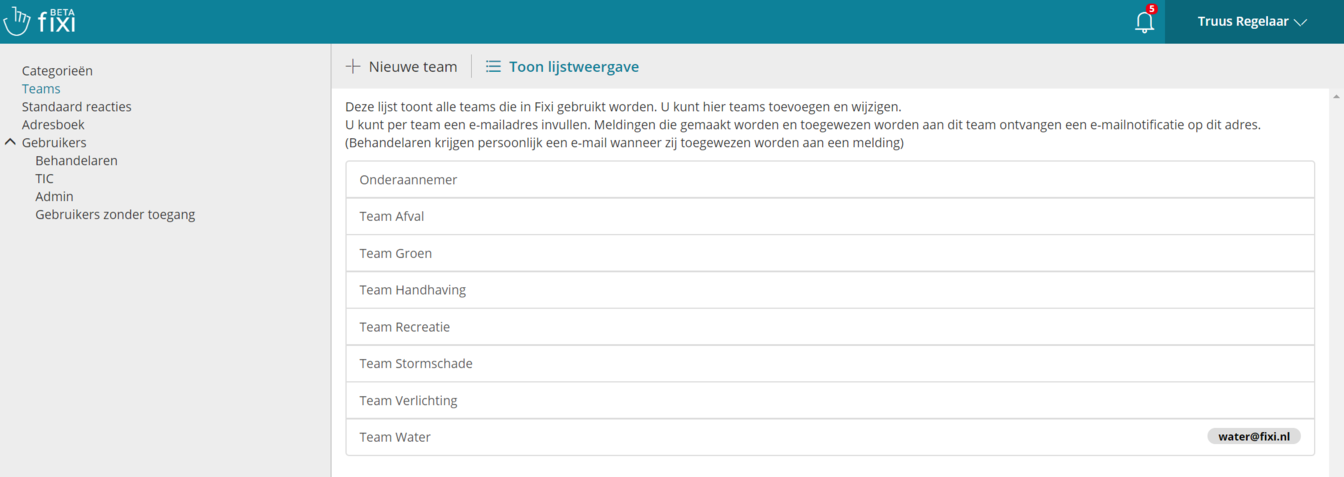
Here is an overview of the teams of the fictional municipality of Meervoort:
¶ Create new team
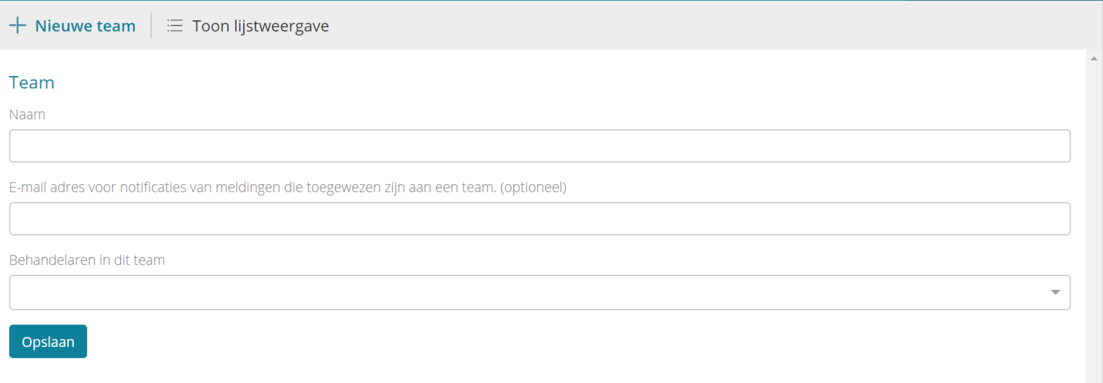
To create a new team, click on ‘New team’. You will get the following input fields:
¶ Name
Here you enter the name of the team. All teams end up in the team dropdown. This dropdown can be found in the workflow of a report:
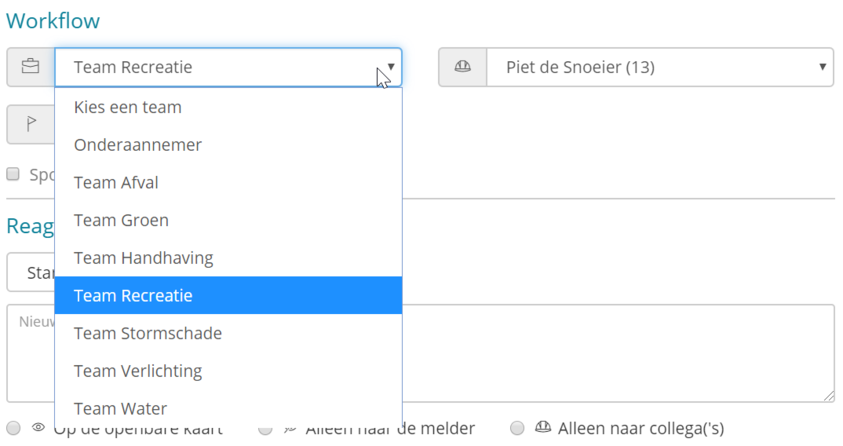
The teams are listed in alphabetical order in the dropdown. This order cannot be edited. If you work with several municipalities in one Fixi environment and have separate teams per municipality, it is best to put the municipality name in the team name. This gives you a better overview in the dropdown.
Email address for notifications of notifications assigned to a team (optional)
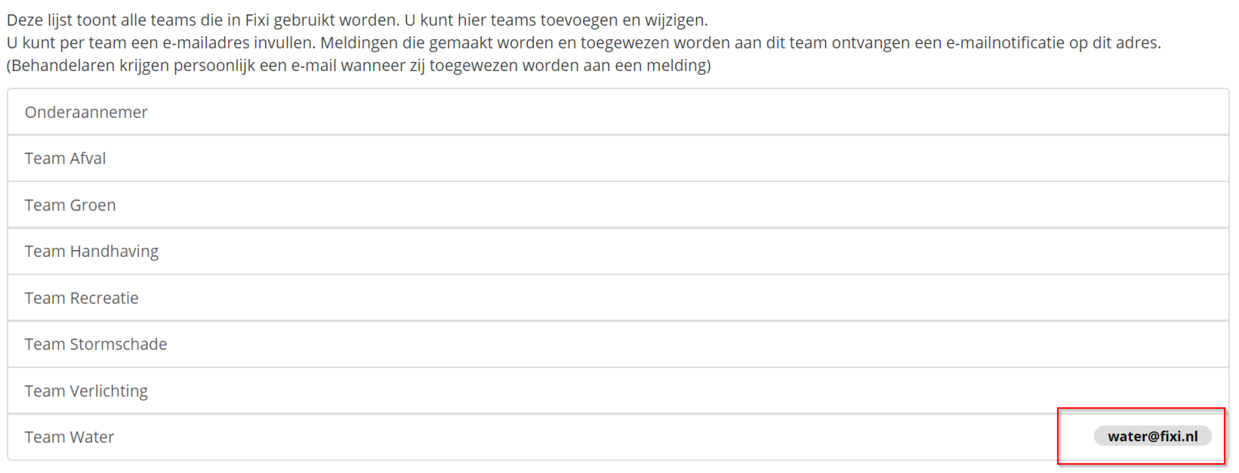
Here you enter an e-mail address that must be notified when a report is posted to a team. This email address can be a group email address such as water@fixi.nl. When a report is assigned to Team Water, an email is sent to water@fixi.nl and employees who are members of that email group receive an email. It is also possible to add a personal e-mail address. Multiple e-mail addresses are not possible.
The entered e-mail address also appears in the overview:
¶ Handlers in this team
Here you can select handlers and add them to this team. You will only find the people with the ‘handler’ role here. It is not possible to select people who have the TIC role. To add people from other roles to this team, first change their role to ‘handler’, add them to the team, and then change their role back to what it was originally. You can find more information here.
As soon as you click on this field, a dropdown appears with all handlers:
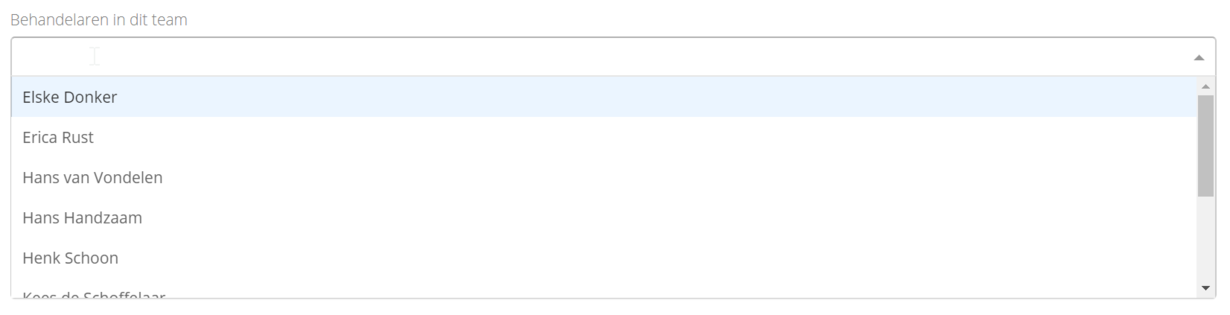
It is also possible to type the name of a handler. The dropdown is then automatically adjusted, allowing you to add a handler more quickly:

¶ Order teams
The teams are listed in alphabetical order in the dropdown. This order cannot be edited.