¶ Fixi - Settings - Address book
Here you see an overview of all contacts in the address book of the fictional municipality of Meervoort:
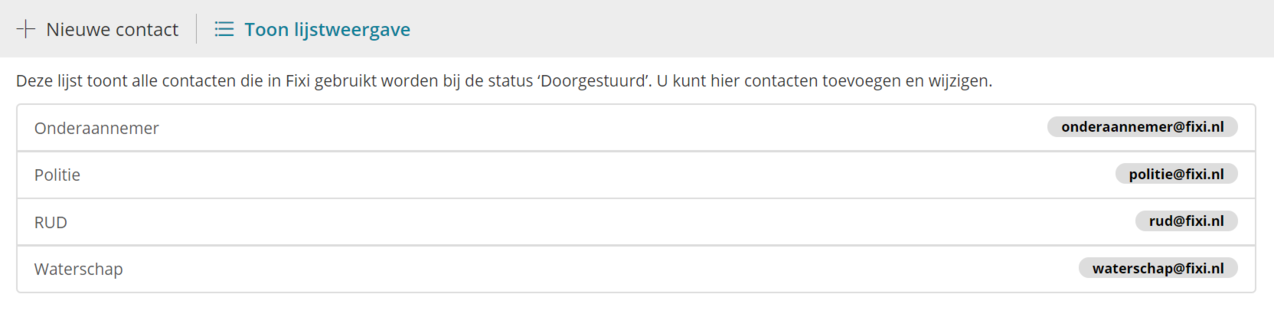
These contact persons end up in the dropdown when an employee of the municipality sends a report. As soon as the status ‘Forwarded’ is selected on the website, an extra field with a dropdown will appear. This dropdown contains all contacts from the address book:
.png)
¶ Create new contact
To create a new contact, click on ‘New contact’. You will get the following input fields:

¶ Name
Here you enter the name of the contact person. All names appear in the dropdown:
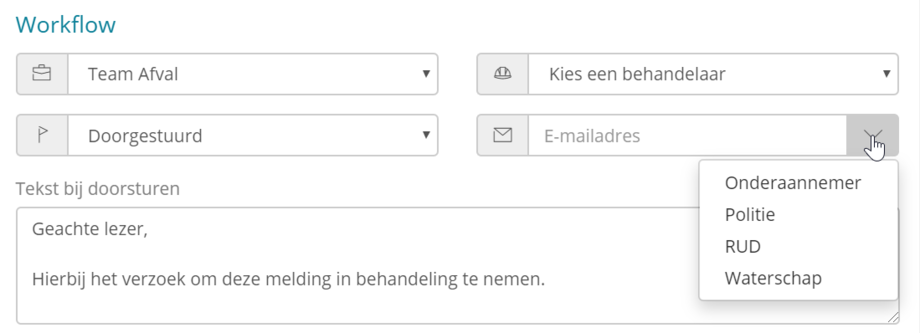
If you work with several municipalities in one Fixi environment and have separate contacts per municipality, it is best to put the municipality name in the contact. This gives you a better overview in the list view of the address book.
¶ E-mail address
You can enter the email address of the contact in the second field.
After you click on ‘Save’, the contact will be saved to the address book.
As soon as the status ‘Forwarded’ is selected on the website, an extra field with a dropdown will appear. As soon as you click on a contact in the dropdown, the email address will appear in the email field next to it:

It is still possible to change the e-mail address.
¶ Address book sequence
The addresses in the address book are listed in alphabetical order in the dropdown. This order cannot be changed.